Chatbot Integration
Chatbot Integration Documentation
Integrate our intelligent chatbot into your website or WordPress site with just a few lines of code. Below is a step-by-step guide to get you started easily.
1. Standard Website Integration
To add the chatbot to any standard HTML/PHP website, simply copy the widget script and paste it just before the closing </body> tag of your website's pages.
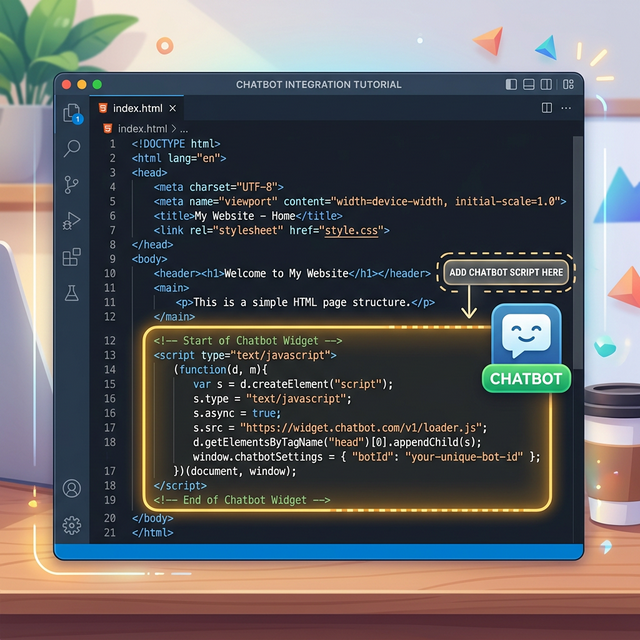
Widget Script:
<script src="https://gpt4bd.com/widget.js" data-widget-id="YOUR_WIDGET_ID" defer></script>Note: Replace YOUR_WIDGET_ID with the unique Widget ID provided in your Chat Bot dashboard.
2. WordPress Integration
If you are using WordPress, follow these simple steps:
- Log in to your WordPress Admin Dashboard.
- Go to Appearance > Theme File Editor.
- Select the
footer.phpfile of your active theme from the right sidebar. - Scroll to the bottom of the file and paste the widget script just above the closing
</body>tag. - Click Update File.
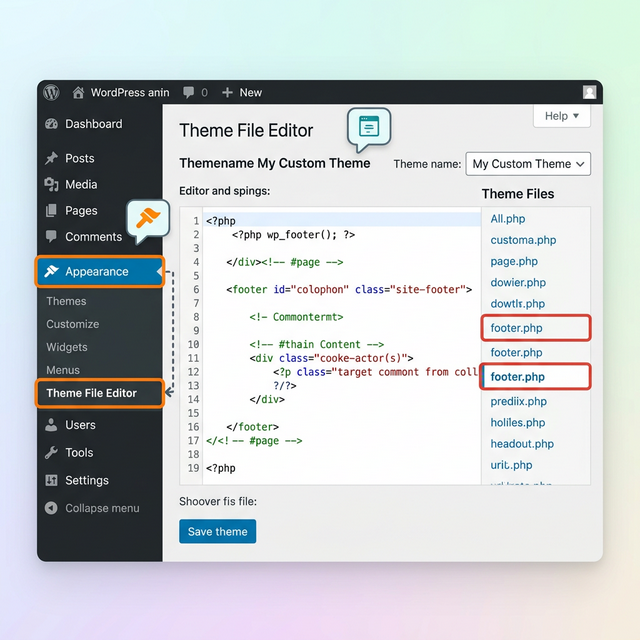
Alternative Method: You can also use a free plugin like WPCode to easily inject the script into your footer without modifying theme files directly.
3. Verifying the Integration
Once the code is added to your website, open your site in a browser and refresh the page. You should see a chat widget icon appearing at the bottom right corner of your screen!